From Demo JWT to Production JWT: Adding Proper Audience Validation


I originally planned for this article to focus on common JWT attacks in ASP.NET API's. But while reviewing the code from this series, I realised an important gap: We hadn’t properly covered audience validation.
In earlier articles, we intentionally kept the implementation minimal so we could focus on specific JWT concepts one at a time. That worked well for learning, but adding correct audience handling in a multi-API setup requires architectural changes, not just a small config tweak.
That raised a fair question: Is this “just more changes” to an existing solution, and therefore confusing for readers joining mid-series?
After implementing the changes, I came to the opposite conclusion. Audience validation turns out to be a perfect bridge topic: It explains why token boundaries matter, why storage models change, and why teams eventually adopt an external Identity Provider (IdP) instead of maintaining all identity concerns themselves.
So this article is a production-readiness update: We’ll take the currently working demo JWT setup and make one critical security property correct for real-world multi-API use.
If you’re new to the series, don’t worry! I’ll start with a short recap so you can follow along without reading every previous article first.

Recap on JWT audience claims
As I explained in the second article of this series, a JWT consists of three parts, the header, the payload and the signature. Inside the signature are claims.
These claims are a mixture of information about the user details, the user's privileges and information about the token itself.
You can see what a decoded JWT looks like by pasting one into jwt.io, so I'll show a screenshot of one from the previous article so you can see what it looks like for yourself:
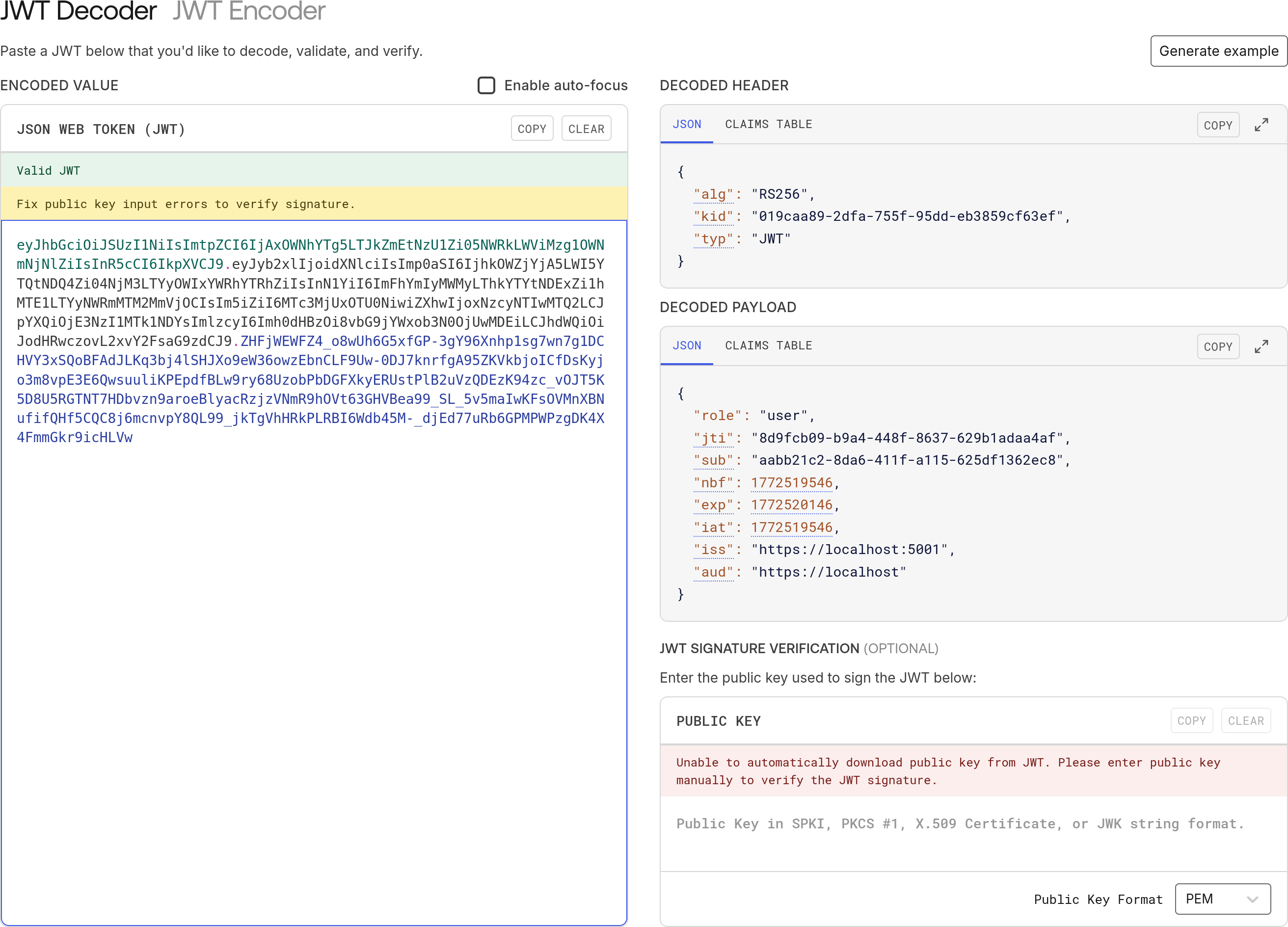
As you can see, in the DECODED PAYLOAD section, there are a bunch of key-value pairs in JSON format. Most of those keys are predefined in the JWT specification, which explains their intended purpose, so I won't cover all of them here.
However, there are two that we're interested in for the purposes of this article.
The first one is the iss claim and that's the issuer of the JWT. In this JWT, it's https://localhost:5001, which is the URL of the authentication server which created the JWT.
The second one is the aud claim, which is the intended audience of the JWT. In this JWT, it's https://localhost and that's where the problem lies. The audience can be any API on localhost. To ensure the highest level of security, we should specify which API we intend the JWT to be used on.

Explaining the required architectural changes
If we want every token to be valid for one specific audience only, then a single user will usually end up with multiple access tokens; one for each API they need to call.
That has two immediate effects on our current implementation.
First, the /token endpoint (the one that creates and returns the tokens) can no longer just take a userId. It now also needs to know which audience the user is trying to reach. So we have to add an audience parameter to that endpoint.
Second, we also issue a refresh token with every access token. The refresh token is just a random string; it contains no data at all. We store it in the database with the userId for later validation. When the access token expires and the client calls our /refresh endpoint to get another one, all we receive from them is that random refresh token.
At that point we look up the refresh token in the database to get the userId back (so we can put it in the sub claim of the new JWT). But we also need to know which aud claim to put in the new token. Without that information, we have no idea which API the new token is meant for.
The only way to solve this is to store the audience together with the refresh token and userId when we first create it. That way, when the user comes back to get new tokens, we can pull both the userId and the audience out of the database and issue a correctly scoped JWT.
So, the first change is going to be to the TokenEntity to add the audience parameter:
public class TokenEntity
{
    public Guid     Id                    { get; init; } = Guid.NewGuid();
    public Guid     UserId                { get; init; }
    public string   Audience              { get; init; } = string.Empty; // new
    public DateTime CreatedAt             { get; init; }
    public string   RefreshToken          { get; set;  } = string.Empty;
    public DateTime RefreshTokenExpiresAt { get; set;  }
}
And then one small change to the TokenRepository to get tokens by userId and audience:
public class TokenRepository(ServerDbContext dbContext)
{
    public void SaveToken(TokenEntity token)
    {
        dbContext.Tokens.Add(token);
        dbContext.SaveChanges();
    }

    public void UpdateToken(TokenEntity token)
    {
        dbContext.Tokens.Update(token);
        dbContext.SaveChanges();
    }

    public TokenEntity? TryGetTokenByUserIdAndAudience(Guid userId, string audience) =>
        dbContext.Tokens.FirstOrDefault(t => t.UserId == userId && t.Audience == audience); // changed

    public TokenEntity? TryGetTokenByRefreshToken(string refreshToken) =>
        dbContext.Tokens.FirstOrDefault(t => t.RefreshToken == refreshToken);
}
Okay, after discussing database changes, we're going to move on to the endpoints. I made some changes to the static Api helper class to make it easier to work out what URL we should be using for which API:
public static class Api
{
    public static class Audience
    {
        public static class Server
        {
            public const string Name = "server";
        }

        public static class Other
        {
            public const string Name = "other";
        }
    }

    public static Dictionary<string, int> Targets { get; } = new()
    {
        [Audience.Server.Name] = 5001,
        [Audience.Other.Name]  = 5003
    };

    public static bool IsValidTarget(string target) => Targets.ContainsKey(target);

    public static string UrlFor(string target) =>
        Targets.TryGetValue(target, out var port)
            ? $"https://localhost:{port}"
            : throw new ArgumentException($"Unknown API target '{target}'", nameof(target));
}
We're now passing the audience into the TokenGenerator.GenerateToken helper class:
public static string GenerateToken(
    RsaSecurityKey rsaKey,
    Guid jti,
    Guid userId,
    string role,
    string audience, // added
    DateTime now,
    TimeSpan expiresIn)
{
    var tokenDescriptor = new SecurityTokenDescriptor
    {
        IssuedAt = now,
        Audience = audience, // changed
        Expires = now.Add(expiresIn),
        Issuer = Api.UrlFor(Api.Audience.Server.Name), //changed
        Subject = new ClaimsIdentity([
            new Claim("role", role),
            new Claim("jti", jti.ToString()),
            new Claim("sub", userId.ToString())
        ]),
        SigningCredentials = new SigningCredentials(rsaKey, SecurityAlgorithms.RsaSha256)
    };
    var handler = new JwtSecurityTokenHandler();
    var token = handler.CreateToken(tokenDescriptor);
    return handler.WriteToken(token);
}
Then the changes to the /token endpoint are fairly minimal:
app.MapGet("/token", async
    (IOptionsSnapshot<TokenConfig> config,
     JwksKeyManager keyManager,
     TokenRepository tokenRepo,
     UserRepository userRepo,
     string audience, // added
     Guid userId) =>
    {
        if (!Api.IsValidTarget(audience)) return Results.BadRequest("Invalid audience"); // added this check
        var token = tokenRepo.TryGetTokenByUserIdAndAudience(userId, audience); // now getting the token also by audience

        ...

        var accessToken = TokenGenerator.GenerateToken(
            signingKey, jti, userId, user.Role, audience, now, config.Value.AccessTokenLifetime); // added audience

        ...

        tokenRepo.SaveToken(new TokenEntity
        {
            RefreshTokenExpiresAt = now.Add(config.Value.RefreshTokenLifetime),
            RefreshToken = refreshToken,
            Audience = audience, // added audience
            UserId = userId,
            CreatedAt = now
        });
        return Results.Ok(response);
    })
   .AllowAnonymous();
Finally, there is one change to the /refresh endpoint:
app.MapPost("/refresh", async
    (IOptionsSnapshot<TokenConfig> config,
     JwksKeyManager keyManager,
     TokenRepository tokenRepo,
     UserRepository userRepo,
     HttpContext context) =>
    {
        ...

        var accessToken = TokenGenerator.GenerateToken(
            signingKey, jti, token.UserId, user.Role, token.Audience, now, config.Value.AccessTokenLifetime); // added token.Audience

        ...

        return Results.Ok(response);
    })
   .AllowAnonymous();
For both the "server" API and the "other" API, we need to ensure that JwtBearerOptions are configured with the correct Audience and Authority.
For the "server" API:
public static readonly Action<JwtBearerOptions> Options = options =>
{
    ...

    options.Audience = Api.Audience.Server.Name;
    options.Authority = Api.UrlFor(Api.Audience.Server.Name);
};
For the "other" API:
public static readonly Action<JwtBearerOptions> Options = options =>
{
    ...

    options.Audience = Api.Audience.Other.Name;
    options.Authority = Api.UrlFor(Api.Audience.Server.Name);
}
And if we don't care about the "client" API, that's all of the changes. The "client" API is just for convenience anyway, so I don't really need to go over it. If you want to see what changed there, you can have a look at the repository, which you can clone from:
https://github.com/aaroncpina/Aaron.Pina.Blog.Article.09

Testing the API
Okay, so let's test the API's now to make sure they work as expected. I apologise to all my nerdy readers who think CURL is amazing, because I was making fun of them in previous articles. So, to recompense for that, I'm going to use CURL instead of Insomnia to test the API's this time.
First, I'm just going to see what we have in our JWKS:
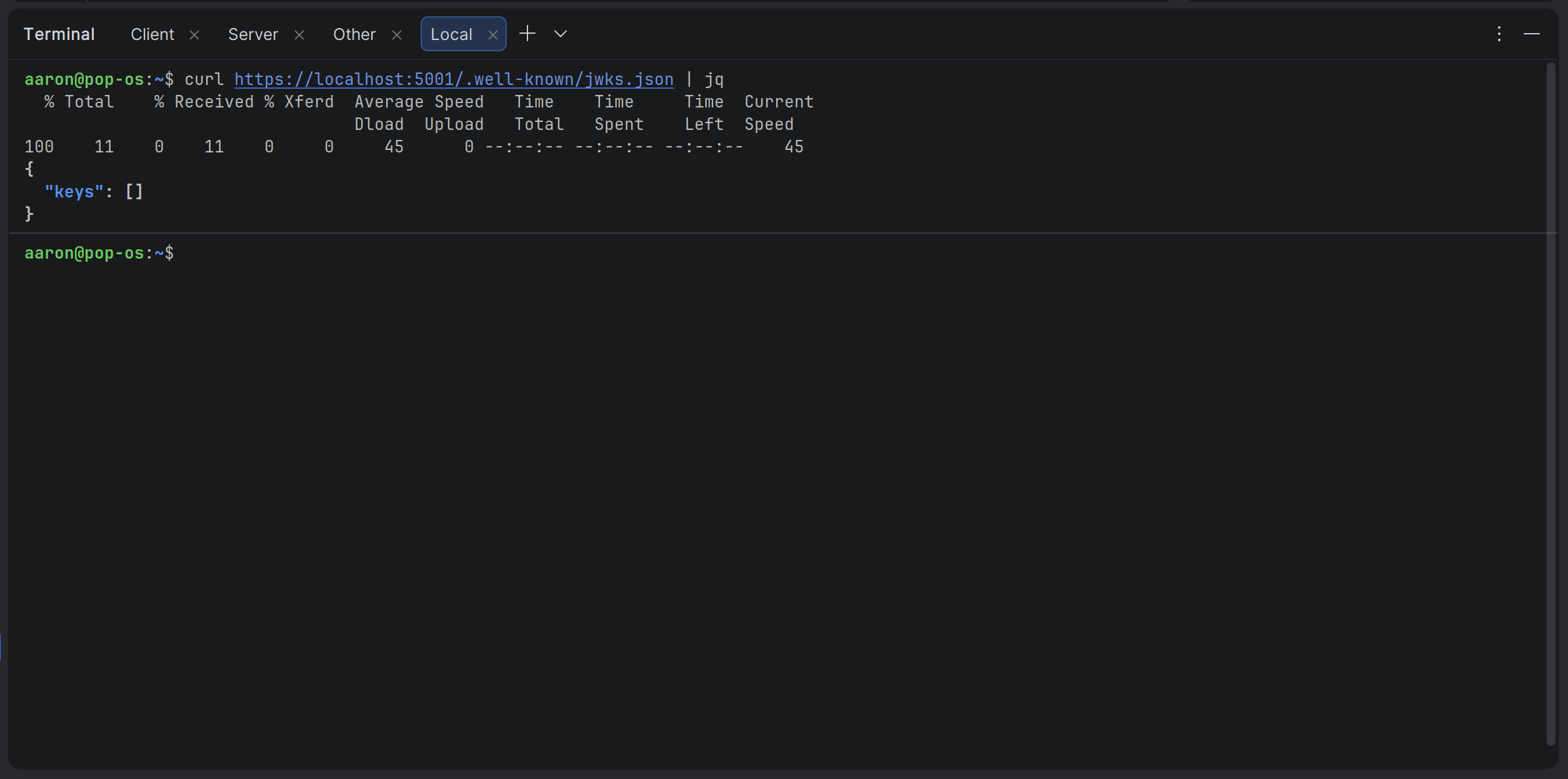
It looks like we don't have any yet. One will be created when we get a token below. I'll continue and create an admin user:
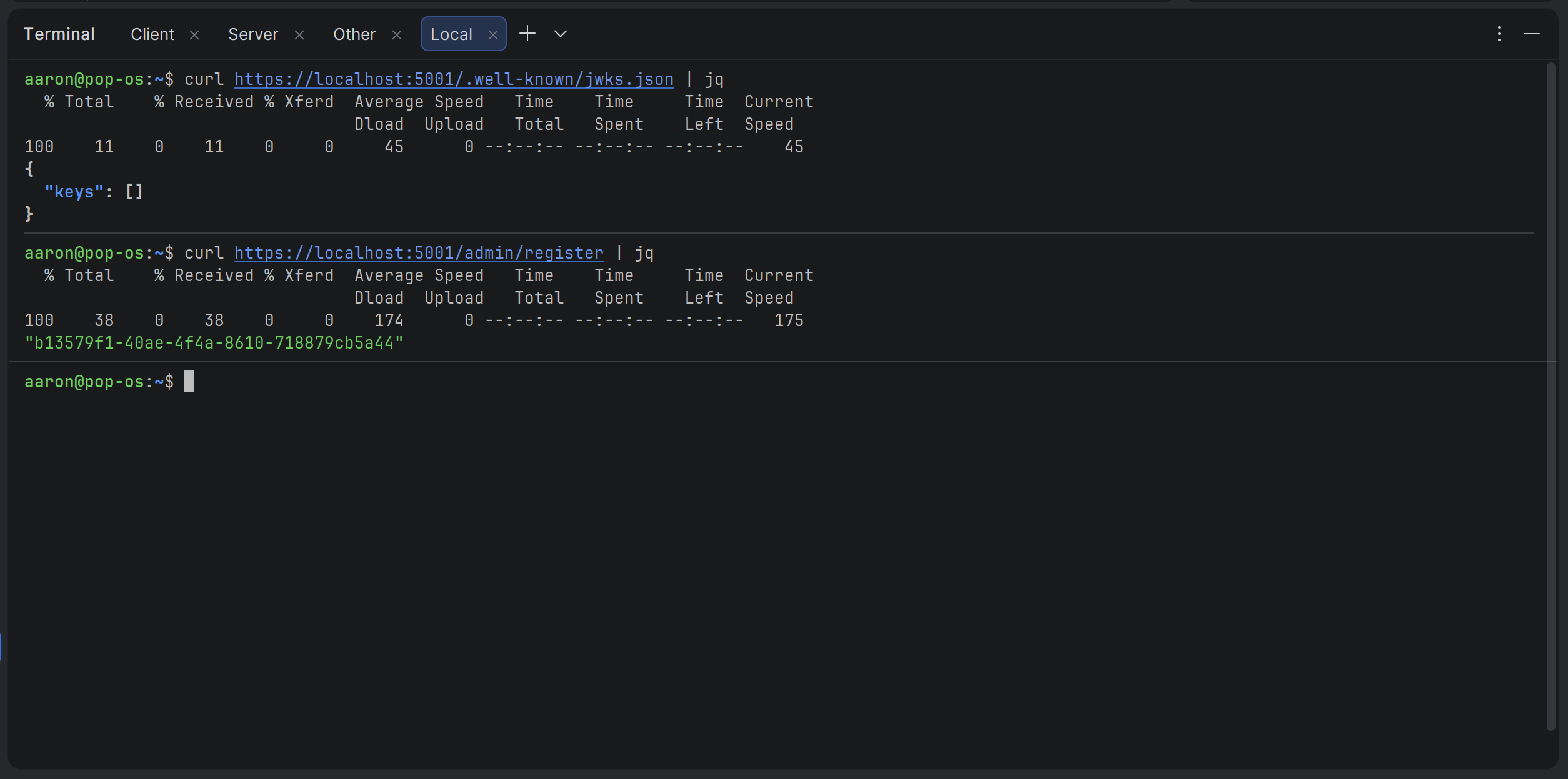
Alright, now I've got a user ID, it's time to get a JWT from the /token endpoint. I'll ask for a JWT that gives access to the "other" API so we can access the /user endpoint.
Actually, because all I need is the access token and I don't want to have to copy and paste a big string every time, I'm going to extract the JWT from the JSON and put it in a variable:
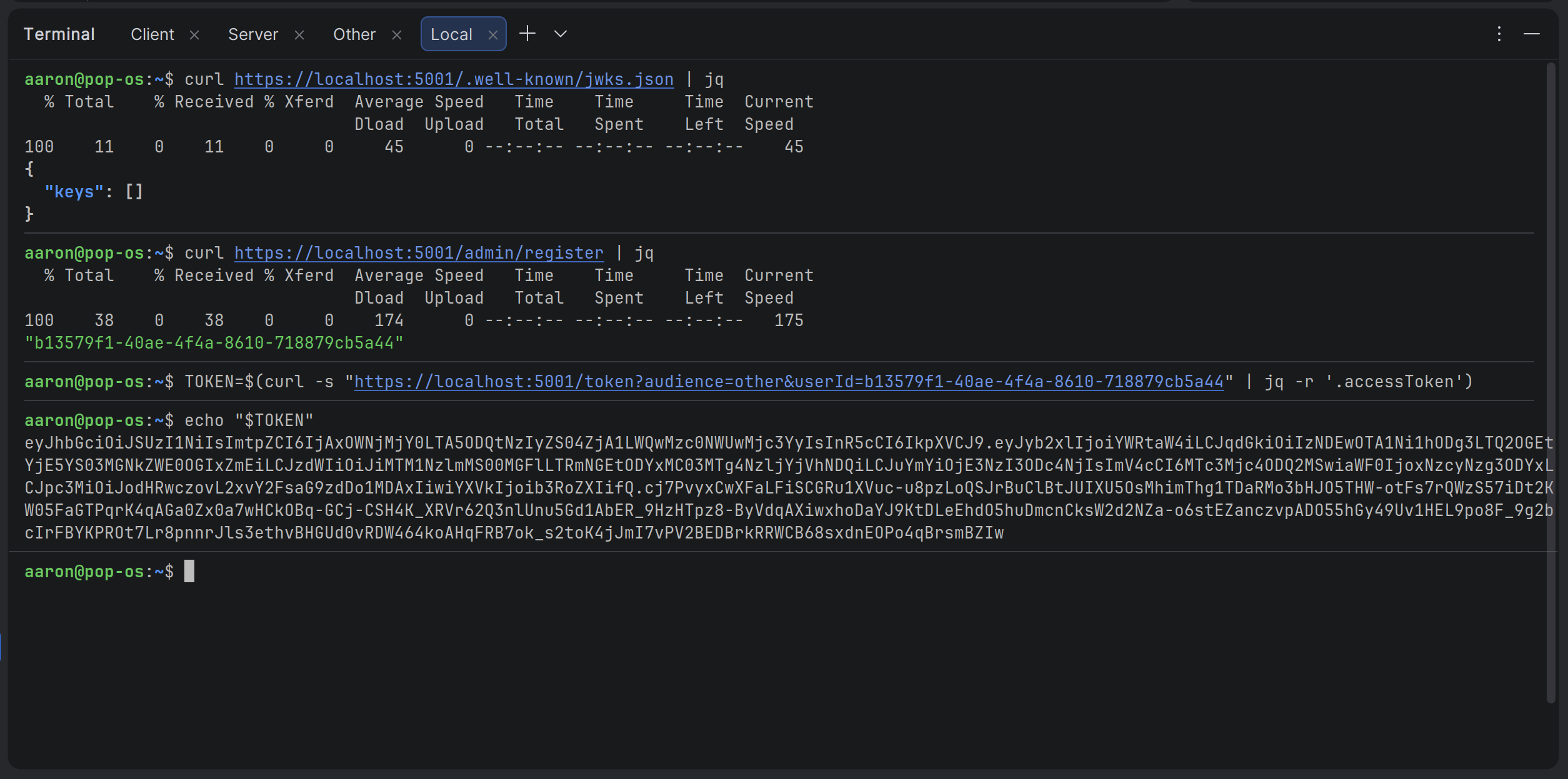
Okay we've got that, so I'm just going to make sure we have a JWK now:
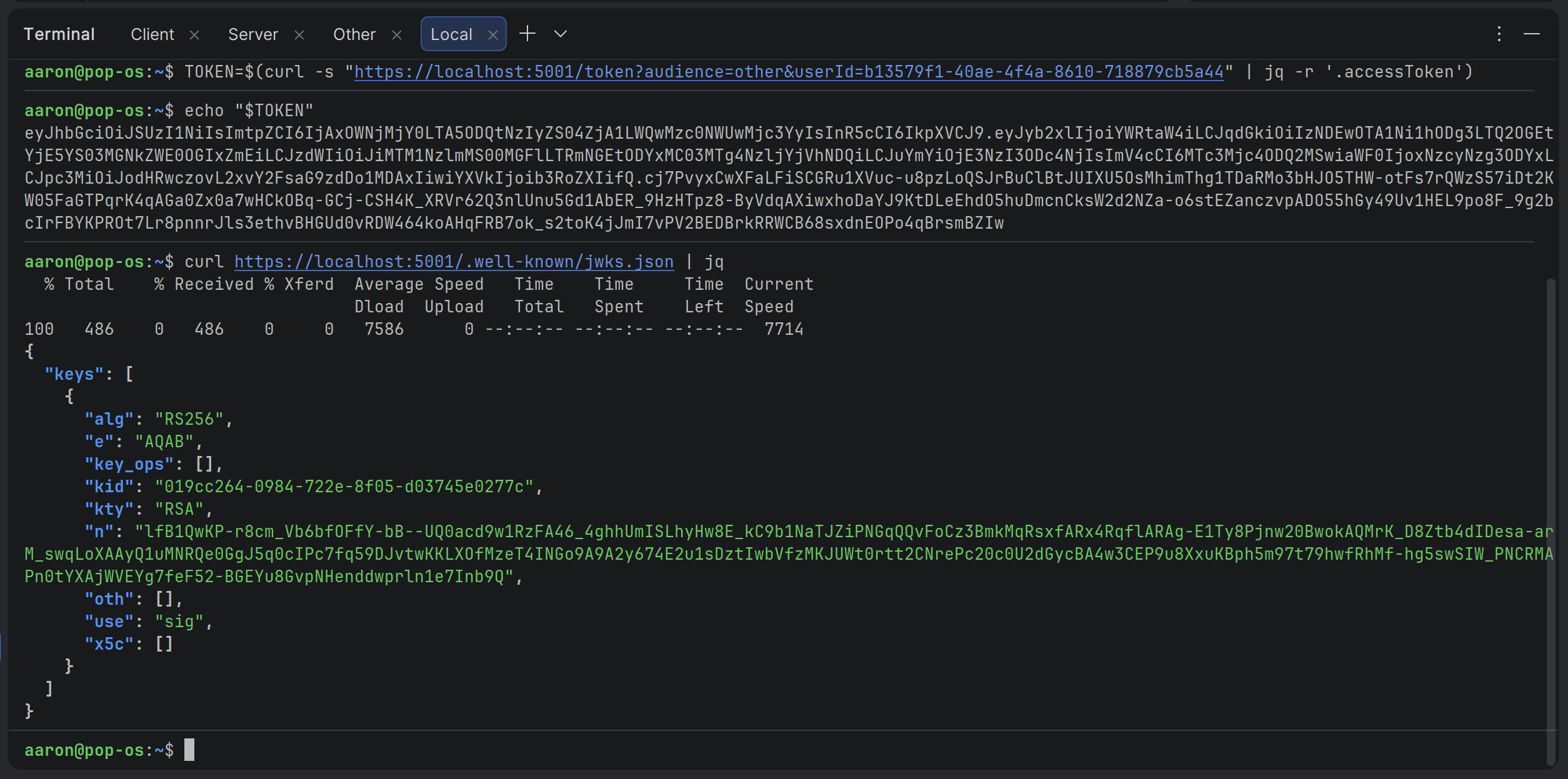
Great, so the JWK is stored in Redis now. Let's get some user info from the "other" server:
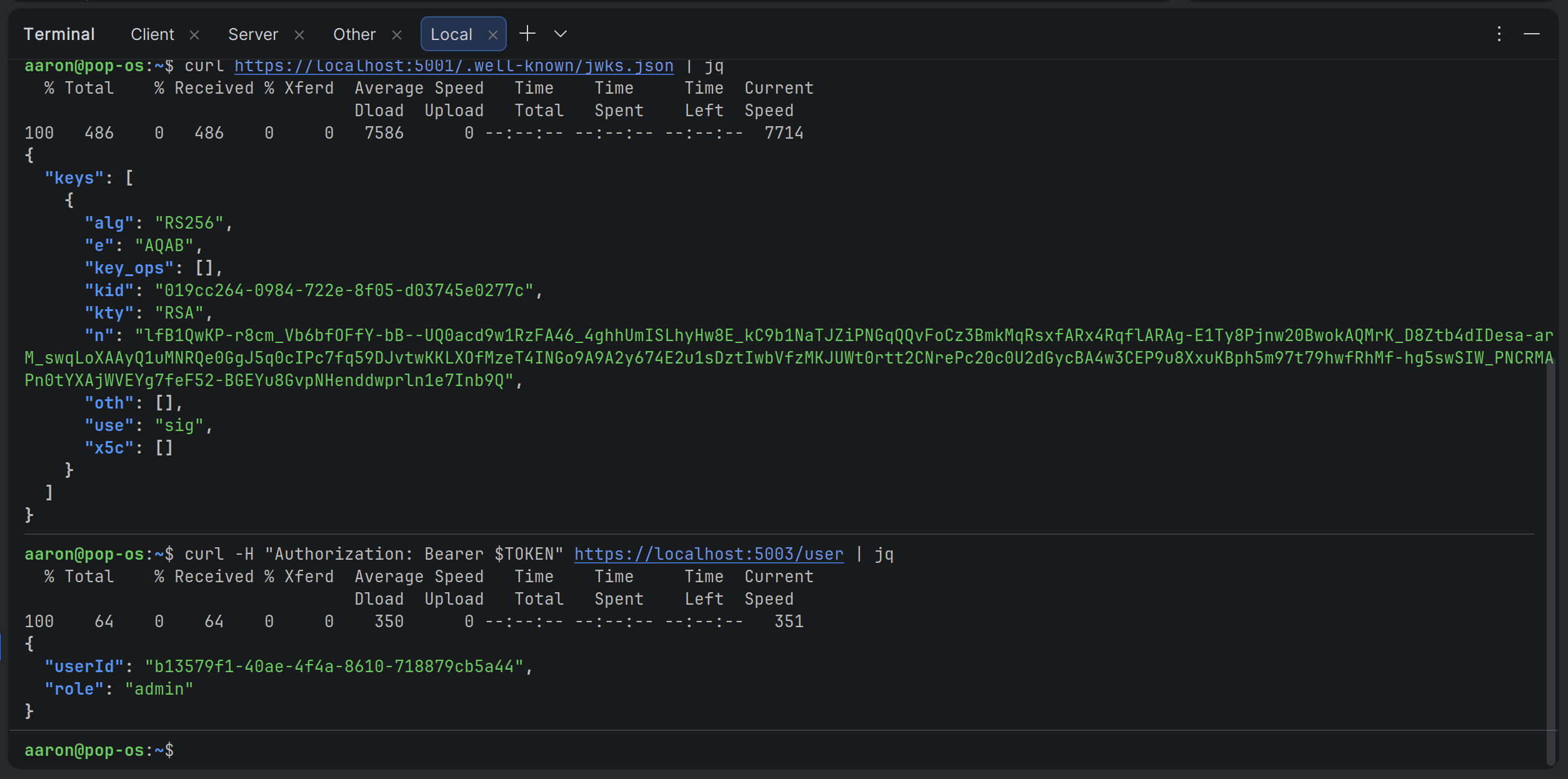
Okay, that works. Now let's try revoking the JWK that we saw earlier:
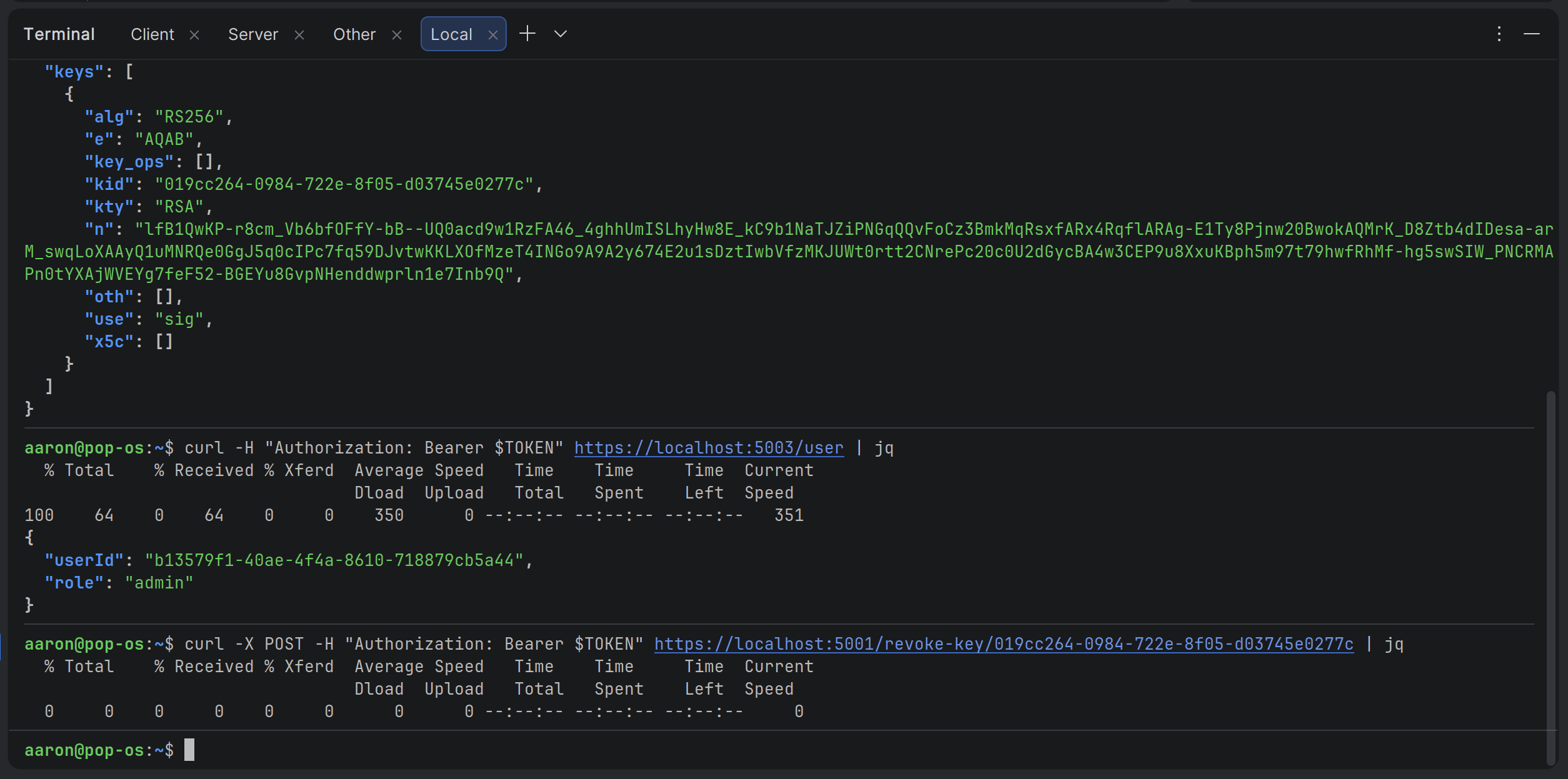
Hmm. We're not getting any message saying the JWK was revoked. Let's ask for some info:
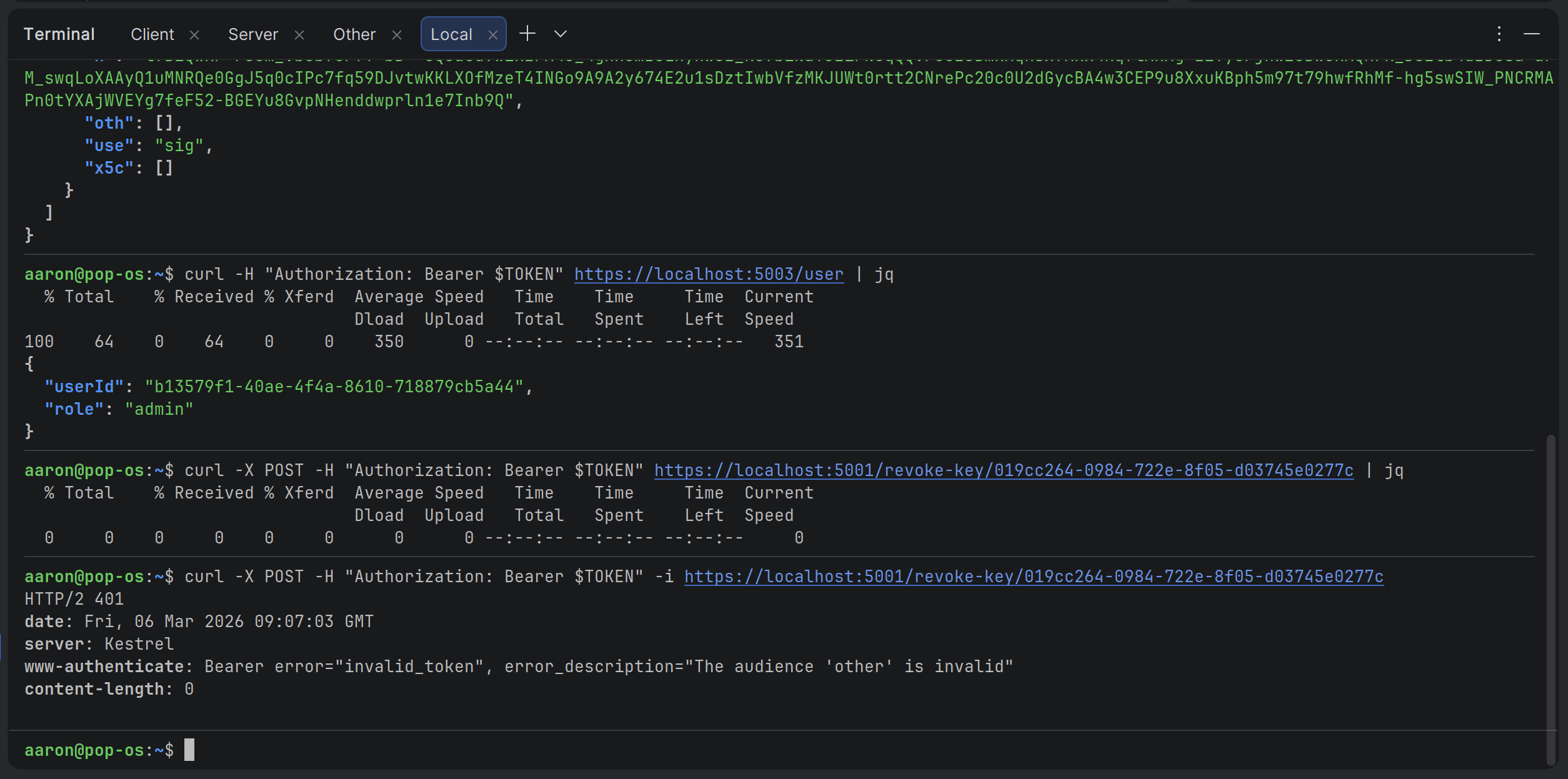
Aha! We're getting a 401 and it's saying that the audience is invalid. Let's get a token for the "server" server and save it to a variable:
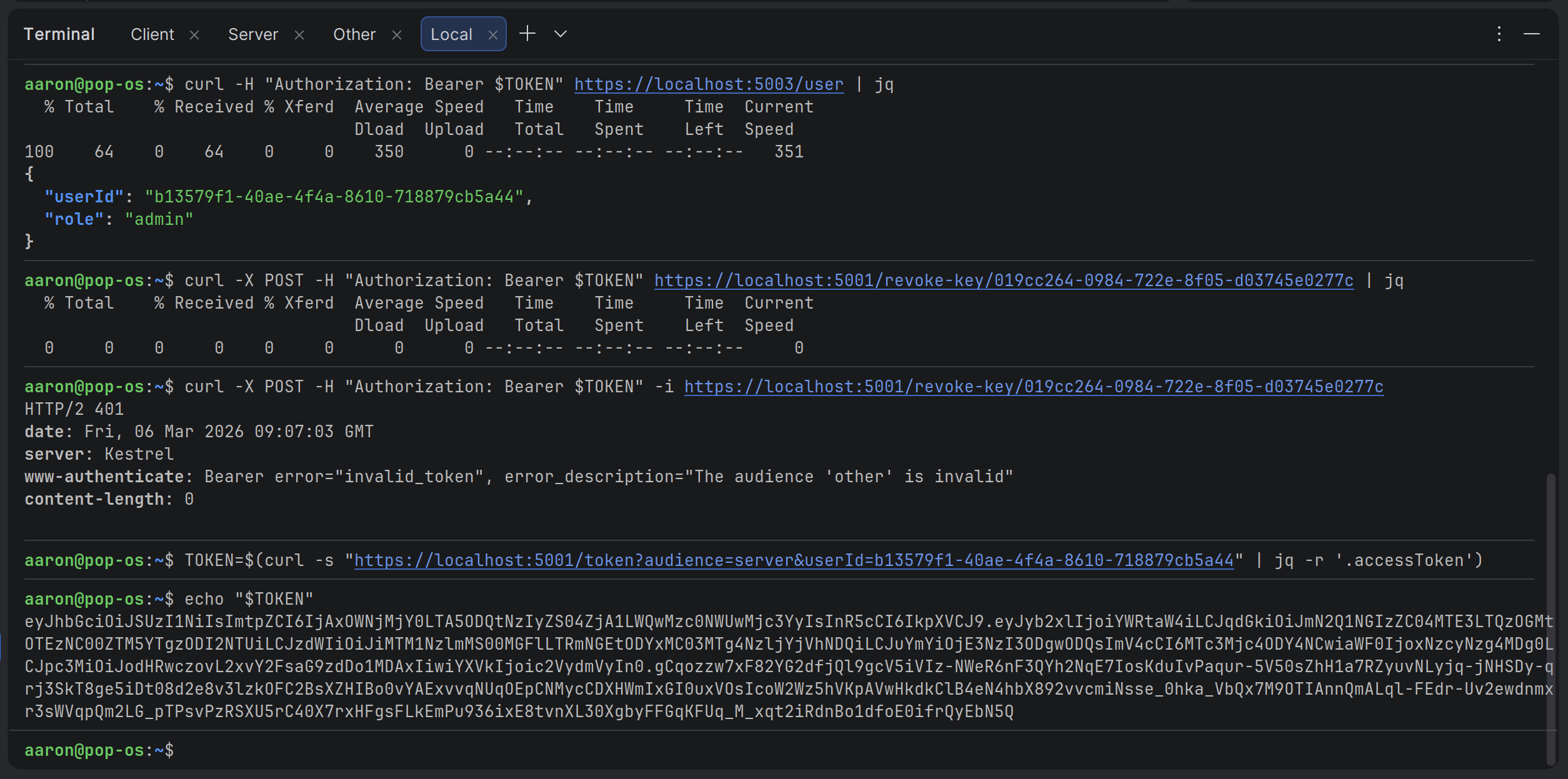
Then let's try revoking the JWK again:
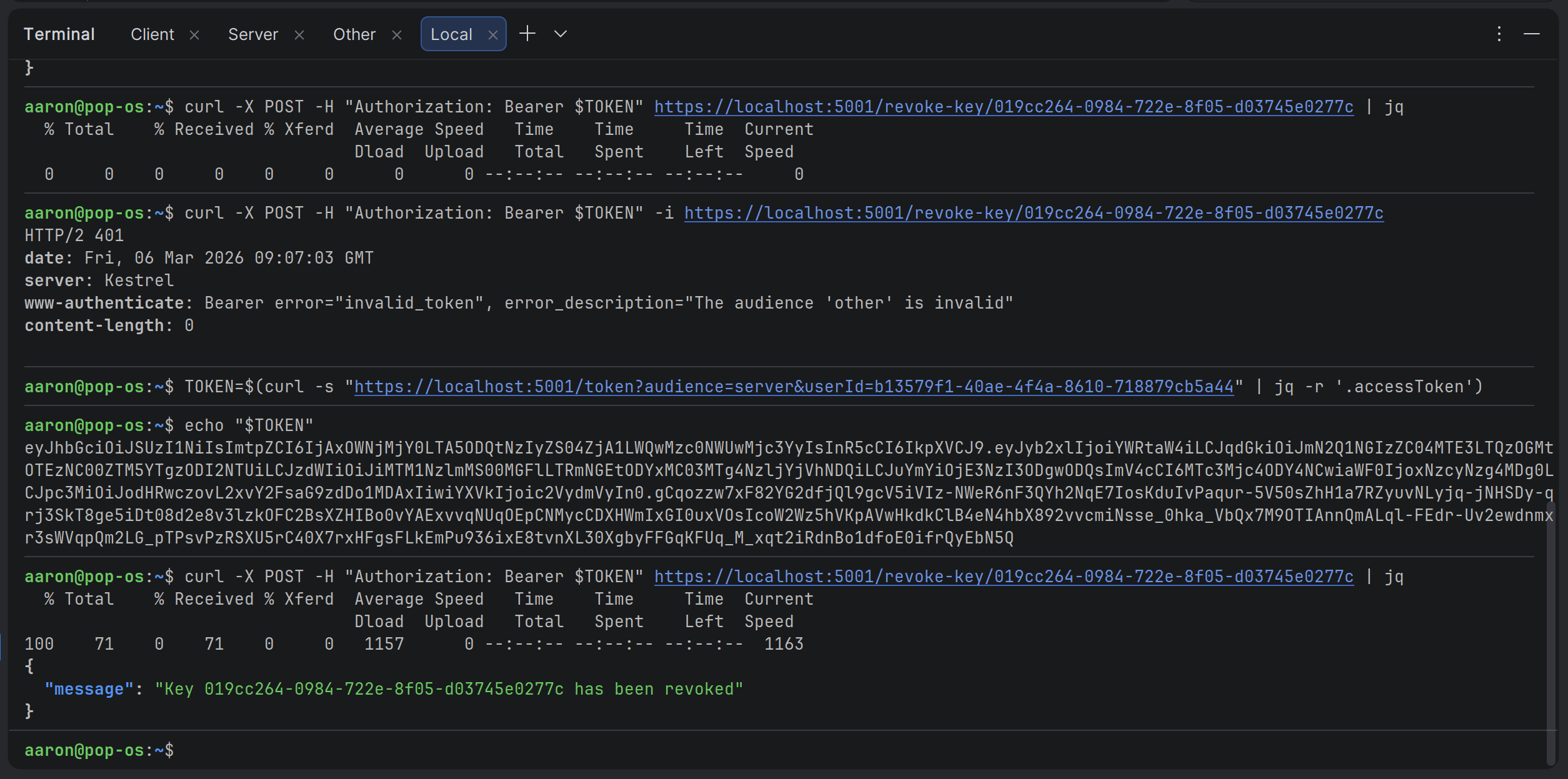
Great, it looks like it worked! Let's just make sure:
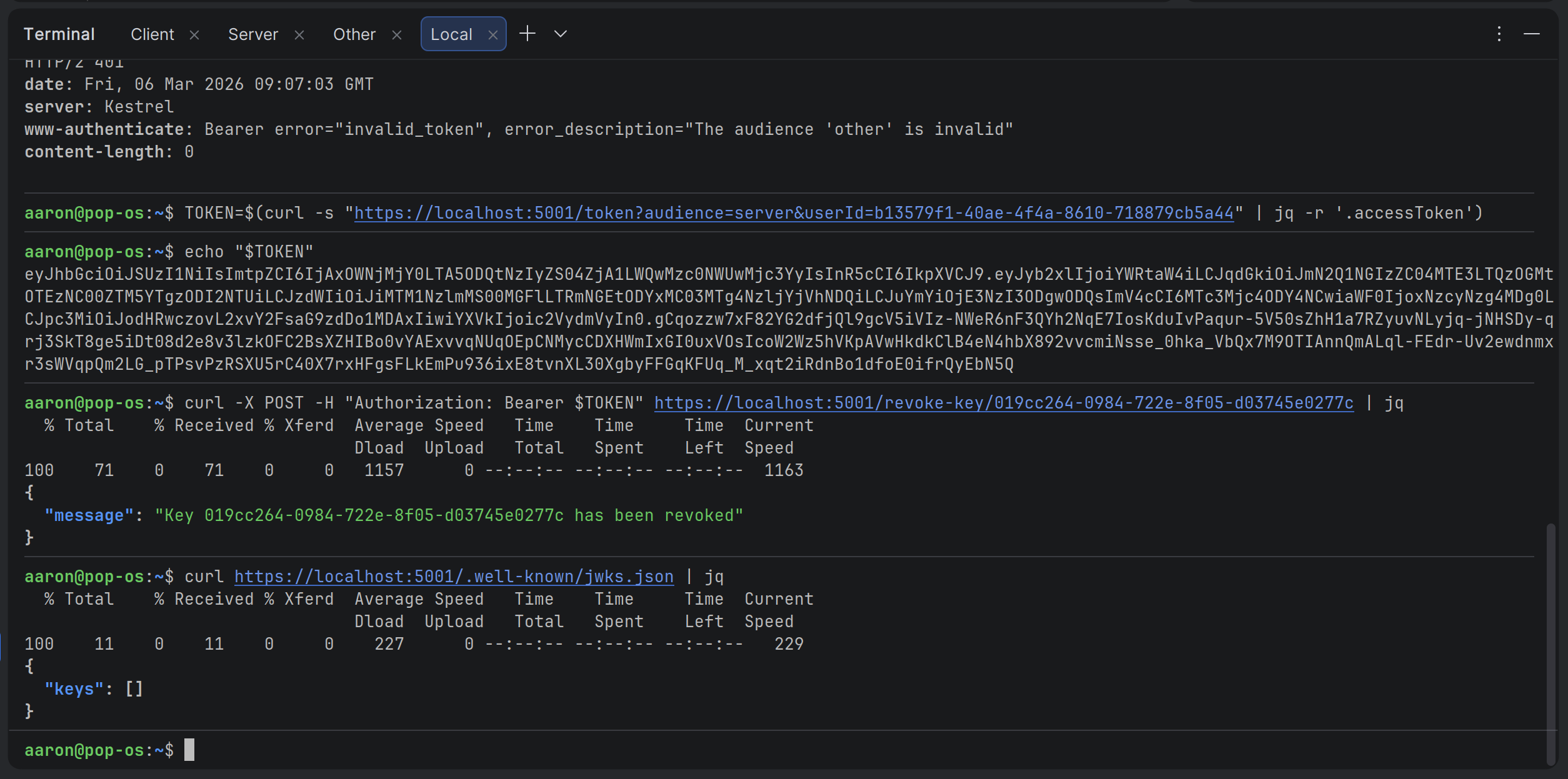
Perfect! So, now we know that each JWT can only be used on the API that they're requested for. That means audience validation is working as expected!
Conclusion
And that’s it. With these changes our demo JWT setup is now production-ready for a multi-API world.
Every access token is explicitly scoped to one audience, the refresh flow preserves that scoping, and the validation middleware will immediately reject any token used on the wrong API.
The security gap we left open for learning purposes is finally closed.
This single article also explains why most teams eventually give up maintaining their own identity code. Once you have multiple APIs, short-lived tokens, and refresh token storage, the pattern naturally pushes you toward a dedicated Identity Provider.
In the next post we’ll finally tackle the JWT attacks that I originally planned to write about.
Key takeaways
- Always validate the aud claim in multi-API setups. A generic audience is a security anti-pattern.
- Refresh tokens must store the original audience so that refreshed access tokens stay correctly scoped.
- Keep the token-issuing endpoint simple: Accept the target audience as a parameter and save it with the refresh record.
- Set
JwtBearerOptions.Audience(andAuthority) for each resource API. It’s the cleanest and most maintainable way to enforce boundaries.
Enjoyed this hands-on deep dive?
Subscribe (for free) for the full series. Code-heavy guides straight to your inbox.
Questions or your own JWT experiments?
Comment below or connect on LinkedIn / X. Let's master secure .NET APIs together.